






From Image to 3D in Seconds: How Tripo Studio’s AI Transforms 3D Creation Workflows

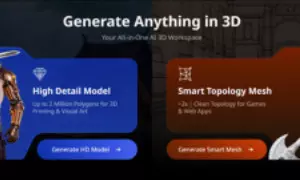
AI 3D model generator Tripo Studio helps create 3D assets from text or images, automate retopology and texturing, and speed up design workflows.
In 3D art, game development, architectural design, and product design, there is a lack of efficiency and repetition in traditional 3D workflows. Manual retopology hours, day-long hand-painting of textures, and hours of tracing 2D references drain creativity and delay projects; even the most experienced professionals feel like they can do this, and novices are disheartened by the high learning curve. The result of these pain points is usually missed deadlines, compromised quality, and burnout.
AI 3D Model Generator transform the game with automated repetitive work. In contrast to generic AI tools, where results are not always consistent, Tripo Studio, an all-in-one AI 3D toolkit, can be effortlessly integrated into the real-life workflow where technical work is done, and you can concentrate on designing. It brings professional 3D content to designers of any experience.
Core Features of Tripo Studio: Simplifying 3D Creation with AI
1. Text to 3D Model
The Text to 3D Model tool of Tripo Studio transforms detailed text prompts into complete 3D models in just a few seconds, without block-outs or underlying model construction. It eliminates the frustration of having a blank canvas to paint on and the time lost in the creation of simple shapes, particularly when the creator is bad at converting their idea into 3-dimensional geometry. The outcome is a structurally correct, detailed 3D model that matches your vision, and it is ready to be further edited or utilised.
2. Image 3D Model
It allows you to add any 2D image concept art, sketch, product image, or reference image and convert it into a 3D model with just a single click. It eradicates the laborious method of tracking the images manually, and makes sure that the image of a 3D model keeps the appropriate proportions, details and manner of the original 2D reference. The time saved with this tool can be hours of mindless labor, whether you are taking a hand-drawn drawing and turning it into a 3D prop, or a product photo and turning it into a printable model.
3. AI Model Segmentation
Automatic model components recognition and separation- no manual masking. Easily modify individual details (e.g., costumes of characters, buttons on a product), simplifying the post-processing process and reducing the amount of time spent on editing.
4. AI Retopology
AI Retopology is an optimisation of thick, disorganised meshes (typically produced by AI or 3D scanning) into clean, efficient topologies that can be used in real-time rendering, animation, or game engines as well. It does away with hours of handwork of correcting the polygon counts, edge flow, and mesh errors, one of the most detested in 3D production. The final outcome is a light weight game-ready mesh that does not lose its original details and shape.
5. AI Texturing
AI Texturing of Tripo Studio creates realistic, seamless PBR (Physically Based Rendering) textures automatically based on the shape, material, and style of the model. It removes the pain of hand-painting textures and of making changes to UV maps, and of matching materials to various parts of the model - processes that can take hours even with an experienced artist. The outcome is high-quality textures, which appear professional, realistic, and ready to be rendered or exported.
6. Auto-ranging
Auto-ranging is an automated scaling and positioning of 3D models to standard size and regular layouts, avoiding the tediousness of scaling and positioning manually. It addresses the issue of variable model sizes between projects, making it so that it can be reliably the same whether you are making a set of game props, an architectural asset, or product prototypes. This feature saves time on batch adjustments and makes sure your models are sized appropriately for the purpose they will be used.
Real-World Use Cases: Tripo Studio for Every Creator
The toolkit of Tripo Studio is not only a toolkit of professional 3D artists, but also one that can easily fit into a multiplicity of industries, and meet the specialised needs of creators of all industries, including those of the global digital and design community:
• Game Development
Generate game-ready (characters, props, environments) assets optimized to Unity/Unreal. Faster prototyping, less asset time, and a smaller team - perfect when you are an indie developer or small studio.
• Architectural Visualisation
Transform 2D plans/sketches into 3D models that are immersive to clients. Make the creation of assets more simplified (furniture, facades) to convey visions in an efficient and clear way.
• 3D Printing
Produce printable models of text/images using clean meshes that reduce errors. Bypass manual repairs - ideal for both hobbyists and professionals.
• Product Design
Quickly design products, digitally model shapes/textures, and minimize waste. Reduce the development periods and align digital prototypes with the final products.
• VFX & Metaverse
Create premium properties in virtual worlds, AR/VR, and film. Optimized models are good in interactive scenes, and they have natural textures to any lighting.
Why is Tripo Studio Different compared to other AI 3D Tools?
Tripo Studio stands out in a saturated market of AI 3D tools by being pragmatic, accessible, and quality-oriented without resorting to a hard sell. The following is what makes it different:
Flash Forward Workflows: Tripo Studio creates assets in minutes or seconds, compared to other 3D tools that require hours or days to create an asset. This velocity does not compromise on quality and hence it is very suitable in situations that require a quick delivery and projects that are time-conscious.
Studio-Quality Results: The AI uses professional 3D quality as its training, producing clean meshes, believable textures, and correct proportions no amateur results. You can be an amateur or a professional, but your assets will look professional and ready to be used in production.
No Expertise: Tripo Studio has an easy-to-use interface and automated tools so that you do not require years of 3D experience to make professional assets. Novices can get down to business immediately, as professionals may utilize the platform to simplify their current processes. This ease of use deals with the high learning curve that is usually the reason some would-be creators avoid the 3D space.
One-stop shop: Tripo Studio is not a collection of tools that you have to break to model, texturise, and retopologize, but rather, it provides you with everything you require under a single roof. This does away with the inconvenience of file conversions, software compatibility, and context switching- even more time is saved.
How-To: 5 Simple Steps to Create a Professional 3D Asset with Tripo Studio
The simplicity of Tripo Studio can be considered one of its greatest strengths. You can also create a refined asset in just a few minutes with these 5 simple steps regardless of whether you are new to 3D creation or not:
• Step 1: Choose Input
Include as many descriptive prompts as you can (e.g., realistic wooden chair, leather seat, 1:1 scale), or provide a 2D reference.
• Step 2: Generate Model
Click Generate - generate a complete model in seconds, no manual modelling.
• Step 3: Refine
Edit parts with AI Segmentation; run AI Retopology on your case (game, 3D print, rendering).
• Step 4: Add Textures
Choose a material, seamless PBR textures are created by AI; adjust the settings to custom appearance.
• Step 5: Export and Use
Export in GLB/FBX/OBJ/STL and use in your project (game, rendering, 3D print, VFX).
Summary: Unlearn the Creative Process with Tripo Studio
The creation of 3D should not be characterized by boring and time-consuming processes. The AI-driven toolkit of Tripo Studio removes the technical tediousness of 3D modelling, texturing, and retopology, and allows you to concentrate on what is most important to you: the realization of your creative idea. Tripo Studio is bringing professional-level 3D assets to solo game developers, professional architects, product designers and hobbyists exploring 3D printing, making them easy, quick, and affordable to create.
Revamp your workflow: Start with Tripo Studio today. Create your first model in a few seconds, no credit card required.


