






- Tamil Nadu Government Apologises to Supreme Court Over Thirupparankundram Temple Lamp Row
- Black Friday 2026: iPhone 17 Pro vs iPhone 18 Pro – Where to Get the Best Deals?
- SCR announces special trains from Hyderabad for Sankranti
- Saurav Das moves Delhi High Court after allegedly being stopped from travelling to UK
- Dilip Ghosh mocks Congress over UP seat sharing talks, says party survives on ruckus and statements
- Annanagar wallows in civic neglect as bad roads, dirty water plague dwellers
- No solo rides, embrace shared mobility: CP Dr M Ramesh
- IRISET sharpens railway workforce skills
Create GTA 6-Style Selfies Using These ChatGPT Prompts
In Short
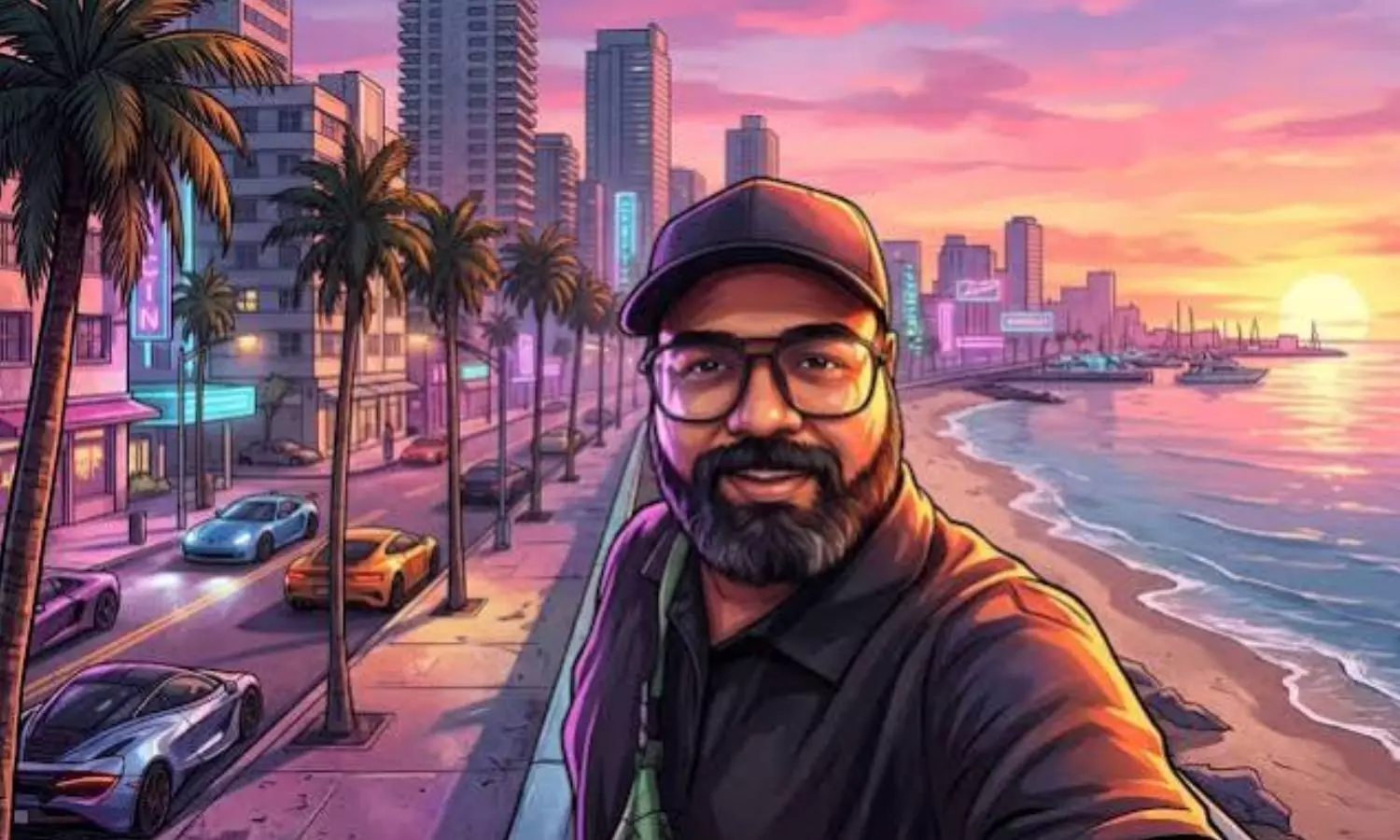
GTA 6-themed photographs are trending on Instagram. Countless individuals create colourful digital artworks resembling Vice City, thanks to ChatGPT’s selfie magic.
Share :
Create GTA 6-Style Selfies Using These ChatGPT Prompts
The visual style of Grand Theft Auto VI or GTA 6, has already found its way onto Instagram, before the game-inspired trend has slowed down. I've seen selfies that have been colored and turned into a bright digital image, even with neon sunsets, palm trees, and of course the familiar streets of Vice City.
Much of this trend is being fuelled by the ability of ChatGPT's image generation tool. This feature enables users to convert their pictures into GTA 6-style art in just a few minutes. This process is pretty easy. Does not require any photo-editing experience.
Here are some suggestions on how to make GTA 6 portraits:
Open the ChatGPT app on your mobile device, or go to chatgpt.com.
Login to your account and post a clearly visible photo.
After uploading the image, then type this prompt into the chat box:
Turn this photo into a GTA 6 portrait, with my face, hair and skin tone the same. Set me on a sunset Vice City street with palm trees and pastel Art Deco buildings. Bold outlines, cel-shaded lighting and a pink, orange, and teal palette.
ChatGPT will analyse the images and your commands and create a personalized portrait.
To get a good picture, what steps do you need to take?
Not all first results are the same as what you may want. You do not have to create a new picture again, you can request that ChatGPT to make certain changes. For example, a brighter background, more palm trees or more intense colors. When satisfied, click on the created image and save it to your device.
The following are a few ideas for getting a better result:
A picture that has been taken in front should be bright and clear rather than dark or shaded. You may also add to your prompt the words 'keep the face true to the original photo'.
To create the image for your Instagram posts, Stories, and Reels covers, request a 4:5 or 9:16 ratio from ChatGPT.
A word of caution
Before uploading personal photographs, check ChatGPT's Data Controls. Images and other content might be utilized for improving OpenAI's models, contingent upon your settings. The 'Improve the model for everyone' feature can be turned off in Settings.

PM Modi’s decades-old personal bond with late Parkash Singh Badal draws BJP-Akali Dal closer
Trump, Nvidia and China: The Story Behind Jensen Huang's 11-Day Nvidia Dramatic Comeback as CEO
Polling set for 23 Andhra Pradesh ULBs
Telangana SEC releases draft graduate voter rolls
VHP Demands Stringent Action Against TVK Govt For Insulting Judiciary and Hindus
Tamil Nadu Government Apologises to SC: Shifts Blame To Temple Trust


