
Google Messages Introduces Trash Folder to Prevent Accidental Chat Loss

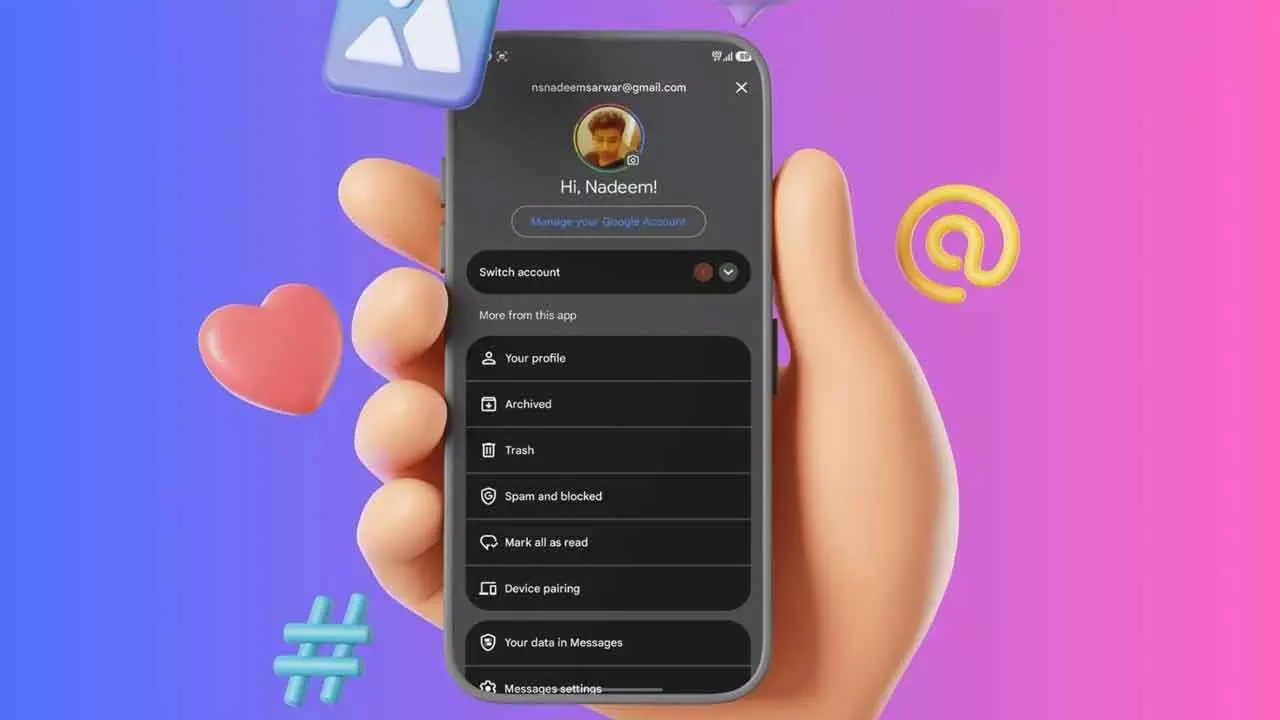
Google Messages now lets users recover deleted chats within 30 days, adding a safety net to prevent permanent data loss accidentally.
Google is rolling out a practical new feature for its messaging platform, Google Messages, aimed at reducing the frustration of accidentally deleting important conversations. The update introduces a dedicated Trash folder, giving users a safety buffer before chats are permanently erased.
Previously, deleting a conversation meant it disappeared instantly, often leaving no chance for recovery. With this new system, deleted chats are instead moved to a Trash folder, where they remain temporarily. This change offers users peace of mind, especially when handling important personal or professional messages.
The Trash folder can be accessed easily through the app’s interface. By tapping on the profile picture located in the top-right corner, users will find the Trash option listed below the Archived section. Inside this folder, conversations are displayed along with details such as the number of messages they contain, making it easier to identify what might need restoring.
One of the key highlights of the feature is the recovery window. Google has confirmed that deleted chats will stay in the Trash for up to 30 days before being permanently removed. This timeframe allows users to retrieve conversations if they change their minds or realize a mistake. However, on Android Go devices—where storage capacity is more limited—the retention period is reduced to seven days to optimize performance.
The feature also provides flexibility in managing deleted conversations. Users can restore chats with a single tap, bringing them back to the main inbox with the full message history intact. On the other hand, if a conversation is no longer needed, users can choose to permanently delete it from the Trash at any time. It’s important to note that once a chat is removed from the Trash folder, it cannot be recovered.
An interesting behavior occurs when new messages arrive in conversations that are already in the Trash. In such cases, the app automatically creates a new thread in the main inbox displaying only the latest message. Meanwhile, older messages remain stored in the Trash folder until they are either restored or permanently deleted.
Using the feature is straightforward. Conversations can be moved to Trash by swiping them away or by selecting and holding a chat and choosing the “Move to Trash” option. A confirmation prompt ensures that users don’t accidentally delete conversations without intent. Additionally, an “Undo” option appears immediately after deletion, allowing quick reversal of the action.
Restoring chats is equally simple. Users can open the Trash folder, select one or multiple conversations, and tap the Restore icon to bring them back instantly.
This update reflects Google’s ongoing efforts to enhance user experience by adding safeguards and improving control over data. By introducing a Trash folder, Google Messages aligns itself with similar features already seen in email and cloud storage services, making digital communication more forgiving and user-friendly.


